UI | 와우 한밤 1시즌
UI | 와우 한밤 1시즌
주의! 반드시 백업!
■ WOW UI 편집모드 코드
■ 적용 방법
- 상단 코드 복사 후, 편집모드 > 가져오기 > 코드 붙여넣기 (Ctrl+V) > 이름 지정 후, 가져오기
■ 기본 UI (재사용대기시간관리자 X) 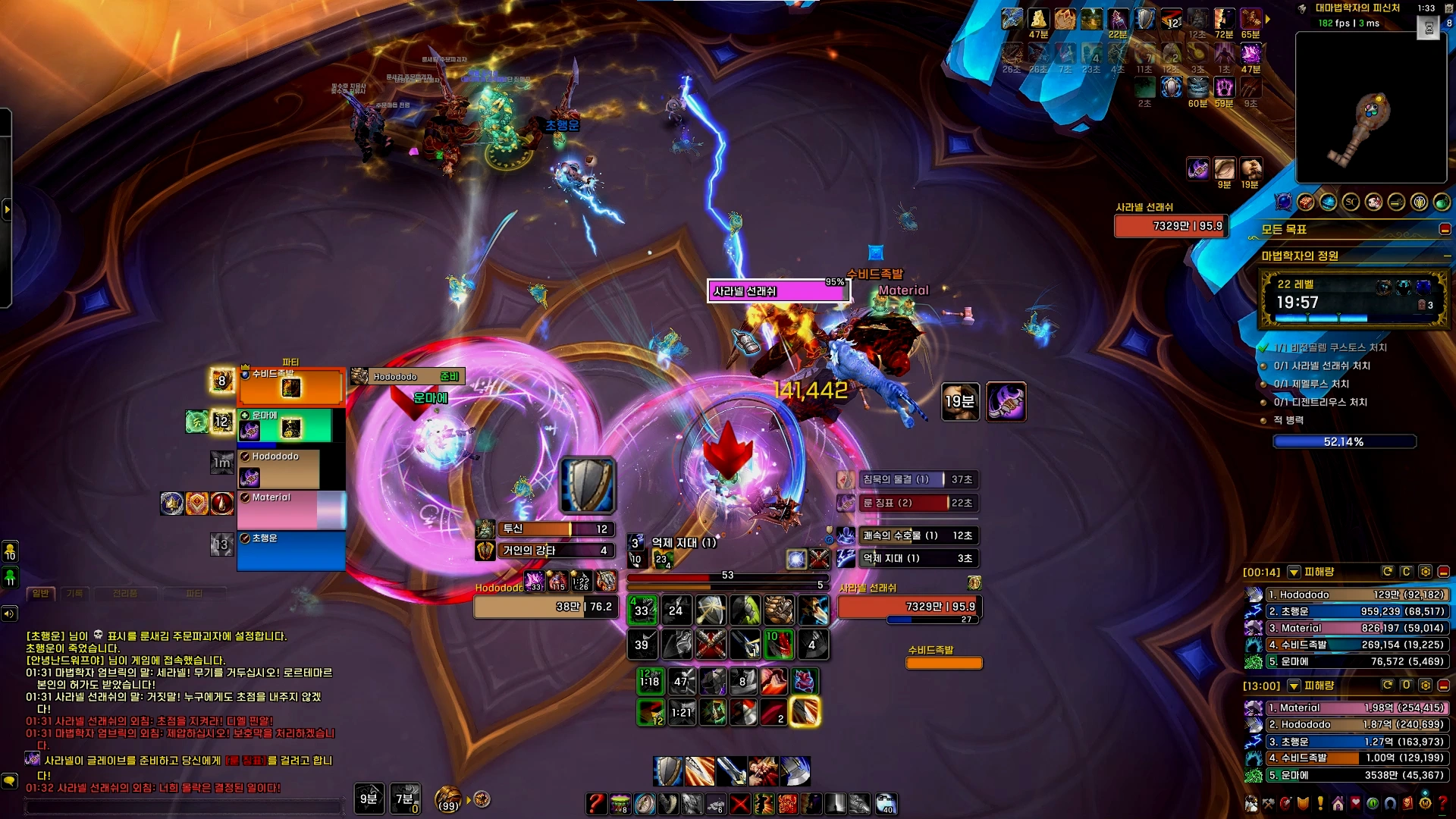
1
2 50 0 0 0 1 4 UIParent 0.0 -242.0 -1 ##$%%/&('%)$+$,$ 0 1 0 1 4 UIParent 0.0 -333.0 -1 ##$%%/&''%(#,$ 0 2 0 7 7 UIParent 0.0 4.0 -1 ##$$%/&%'%(#,$ 0 3 0 0 2 MultiBarBottomRight 4.0 0.0 -1 ##$$%/&%'%(#,# 0 4 0 6 0 MultiBarRight 0.0 4.0 -1 ##$$%/&%'%(#,# 0 5 0 0 0 UIParent 1153.0 -973.5 -1 ##$$%/&%'%(#,# 0 6 0 0 0 UIParent 1153.0 -938.0 -1 ##$$%/&%'%(#,# 0 7 0 8 2 PlayerFrame -20.0 -22.0 -1 ##$$%/&%'%(#,# 0 10 0 8 2 MainActionBar 0.0 30.0 -1 ##$$&('% 0 11 0 6 0 MultiBarBottomRight 0.0 4.0 -1 ##$$&('%,# 0 12 0 0 0 UIParent 1087.0 -1010.5 -1 ##$$&('% 1 -1 0 7 1 MainActionBar 0.0 80.0 -1 ##$#%$ 2 -1 1 2 2 UIParent 0.0 0.0 -1 ##$#%( 3 0 0 2 0 MainActionBar 10.0 25.0 -1 $#3# 3 1 0 0 2 MainActionBar -10.0 25.0 -1 %#3# 3 2 0 6 8 TargetFrame -30.0 0.0 -1 %#&$3# 3 3 0 0 0 UIParent 310.0 -440.0 -1 '$(#)#-k.5/#1#3#5#6.7U 3 4 0 2 4 UIParent -504.0 102.0 -1 ,$-#.5/#0#1#2(5#6-7U 3 5 0 2 2 UIParent -293.0 -286.6 -1 &$*$3# 3 6 0 2 2 UIParent -293.4 -286.6 -1 -5.)/#4$5#6(7-7$ 3 7 1 4 4 UIParent 0.0 0.0 -1 3# 4 -1 0 1 1 UIParent 0.0 -50.0 -1 # 5 -1 0 5 3 PlayerFrame 30.0 0.0 -1 # 6 0 0 2 0 MinimapCluster 0.0 -10.0 -1 ##$#%#&-(()( 6 1 0 5 5 UIParent -570.0 -30.0 -1 ##$#%#'3(-)(-$ 6 2 0 0 0 UIParent 798.7 -494.5 -1 ##$#%#&.(+)(+#,-,$ 7 -1 0 6 6 UIParent 8.0 176.0 -1 # 8 -1 0 7 7 UIParent -726.0 34.0 -1 #'$A%%&T 9 -1 0 0 0 UIParent 729.0 -1044.0 -1 # 10 -1 0 6 0 FocusFrame 20.0 -10.0 -1 # 11 -1 0 8 8 UIParent -4.0 320.0 -1 # 12 -1 0 2 8 MinimapCluster -4.0 -34.0 -1 #-$#%# 13 -1 0 7 7 UIParent 792.7 2.0 -1 ##$#%&&) 14 -1 0 7 7 UIParent -296.0 4.0 -1 ##$$%( 15 0 0 1 1 UIParent 0.0 -4.0 -1 # 15 1 0 0 6 MainStatusTrackingBarContainer 0.0 -4.0 -1 # 16 -1 0 7 7 UIParent 0.0 752.0 -1 #( 17 -1 0 1 1 UIParent 0.0 -90.0 -1 ## 18 -1 0 4 4 UIParent -307.2 100.0 -1 #) 19 -1 0 1 1 UIParent 0.0 -180.0 -1 ## 20 0 0 7 7 UIParent -595.5 742.0 -1 ##$)%$&('$(-($)%+$,$-$ 20 1 0 0 0 UIParent 245.5 -342.0 -1 ##$)%$&,'%(-($)%+$,$-$ 20 2 0 6 0 MainActionBar 0.0 30.0 -1 ##$$%$&&'((-($)#+$,$-$ 20 3 0 8 2 MultiBar7 0.0 10.0 -1 #$$$%#&('#(-($)#*#+$,$-$.K 21 -1 0 4 4 UIParent 0.0 -250.0 -1 ##$# 22 0 0 8 2 TargetFrame -18.0 -9.0 -1 ##$$%$&'''(#)U*$+$,$-$.#/A0# 22 1 0 1 1 UIParent 0.0 -122.0 -1 &('()U*#+$ 22 2 0 1 7 CriticalEncounterWarnings 0.0 -4.0 -1 &('()U*#+$ 22 3 0 1 7 MediumEncounterWarnings 0.0 -4.0 -1 &('()U*#+$ 23 -1 0 8 8 UIParent 0.0 34.0 -1 ##$%%$&#'B(#)U+$,$-(.'/#
■ 애드온
- 이름표 : Plater (프로필)
- 파티원 차단기, 생존기 : BliZzi Party Tools – Interrupt Tracker & Party Cooldowns
- 그 외 화면의 애드온 : dodo
■ Font (폰트)
■ 파티프레임
■ 키세팅 & 매크로
■ 아이콘 팩
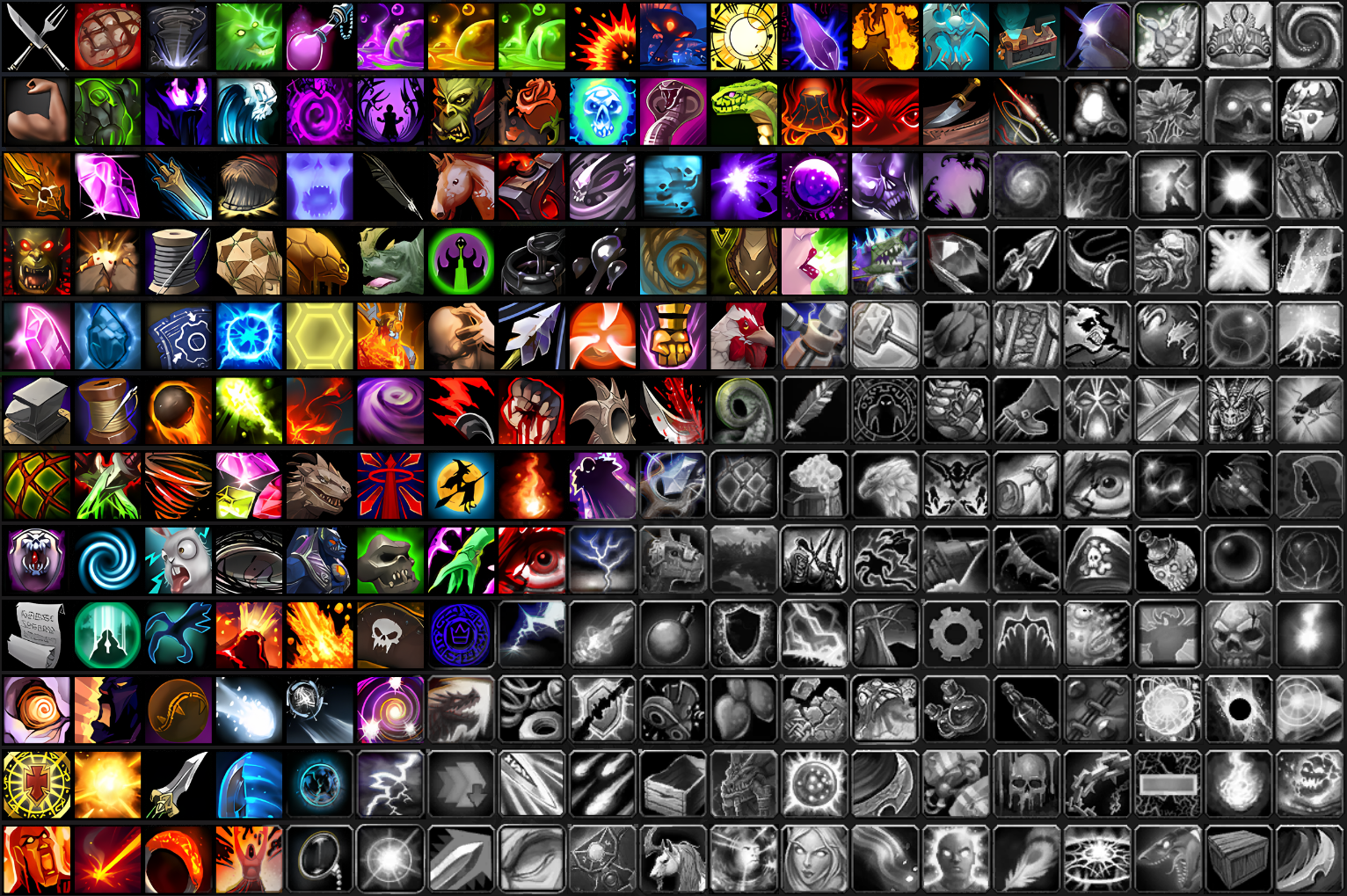
Clean Icons - Mechagnome Edition
■ 설치 방법
- 압축해제 > World of Warcraft_retail_\Interface 안에 붙여넣기
이 기사는 저작권자의 CC BY 4.0 라이센스를 따릅니다.